
 |
Remember, you can always make a page completely private if you don't want the content to be visible, but aren't ready to get rid of the content altogether. |
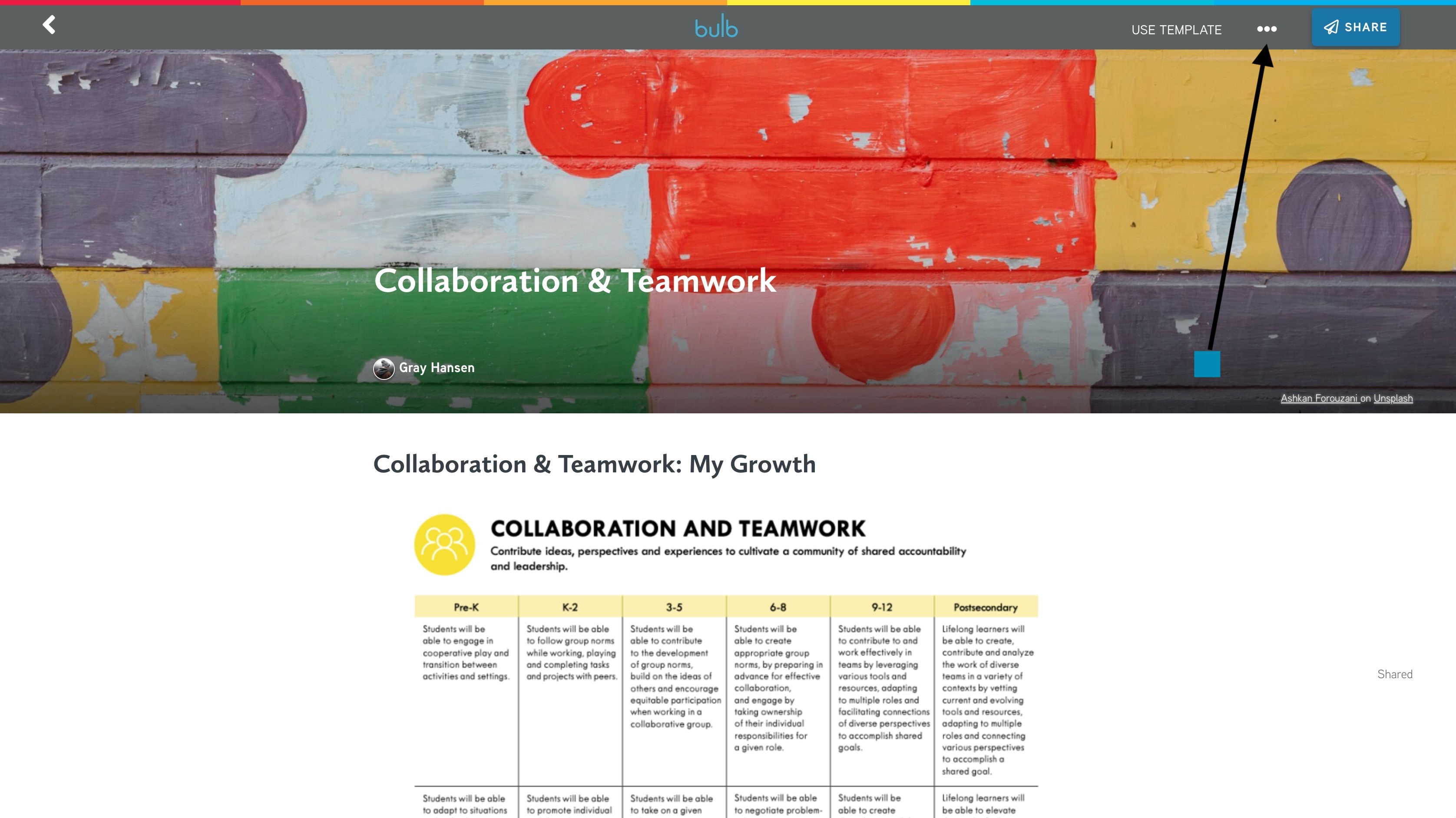
1. Open the page you would like to delete.
2. Select the options menu, three dots, in the upper right-hand corner of your page.
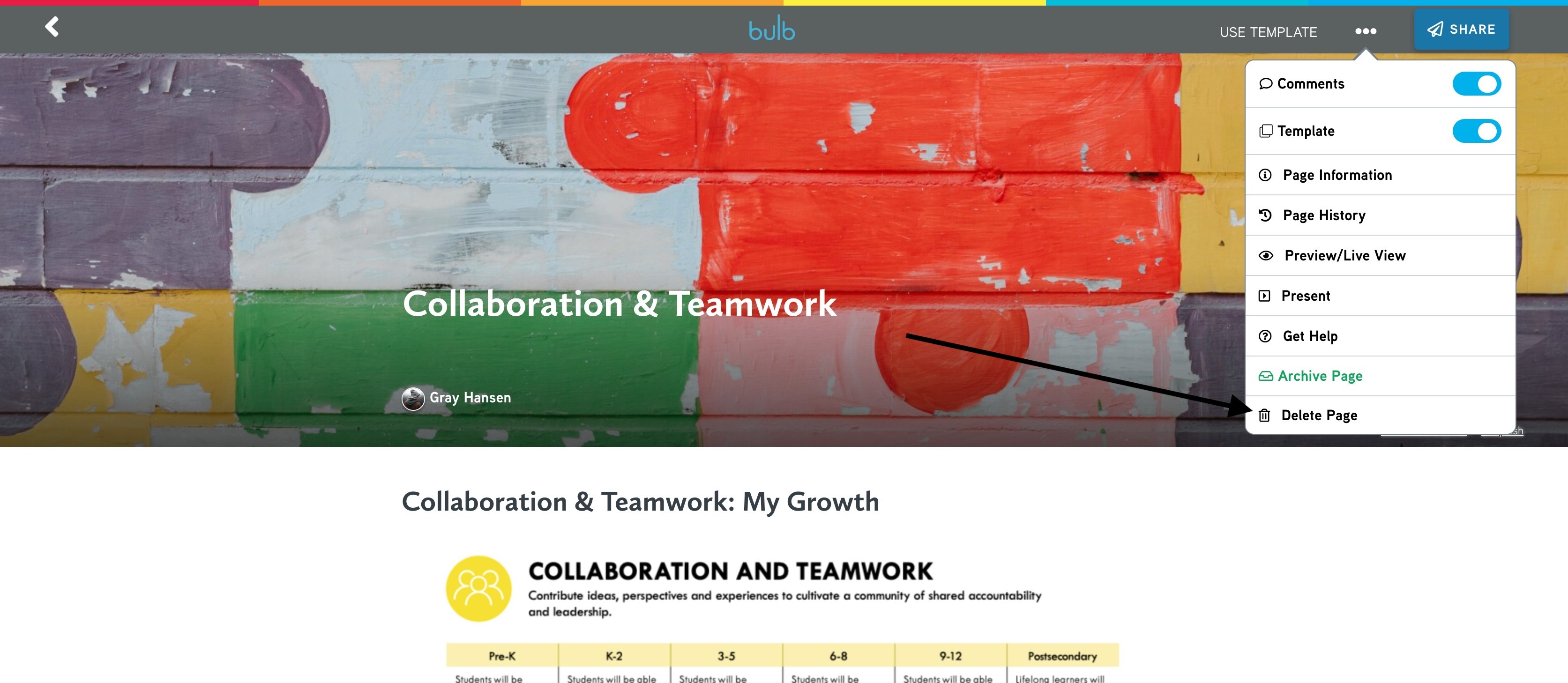
3. Select DELETE PAGE with the trash icon.
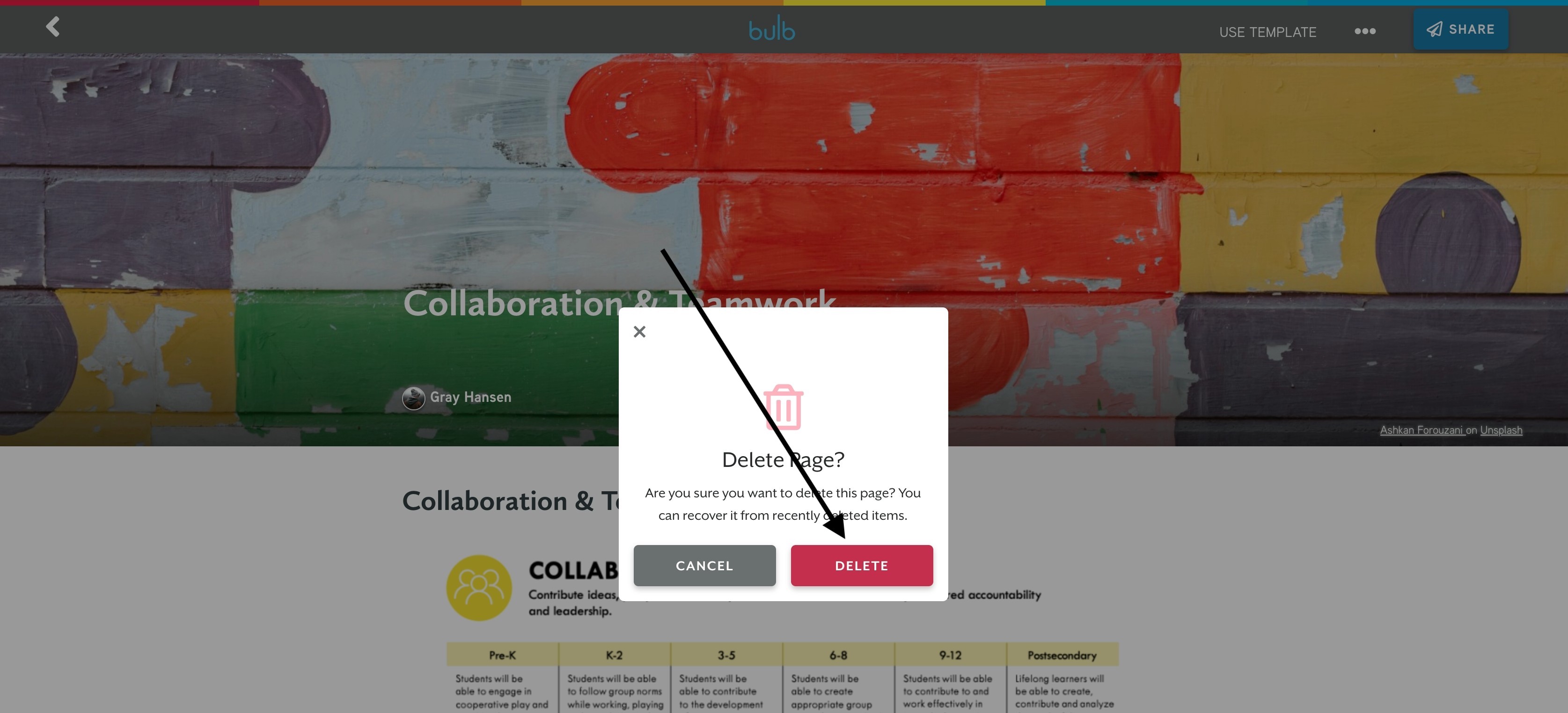
4. Click DELETE.
Watch this video to see how to delete a page:
Comments
0 comments
Please sign in to leave a comment.